Collection
Kind

28 items

app.iepeasyhub.com
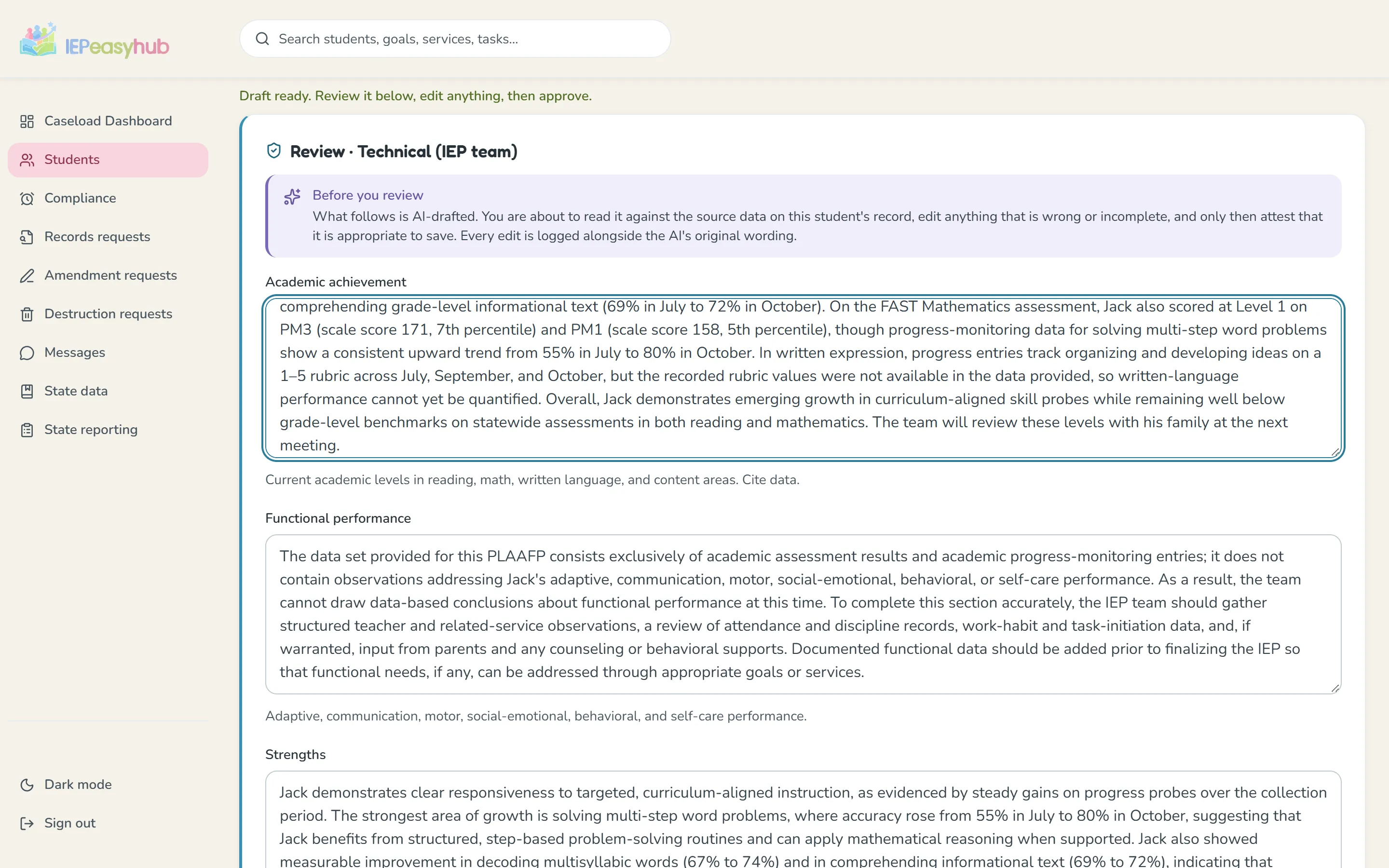
An AI-drafted present-levels section in the review gate, with the teacher’s edits and the approve step.
ScreenshotTeachersThe review gateAn AI draft, your edits, your approval.
app.iepeasyhub.com
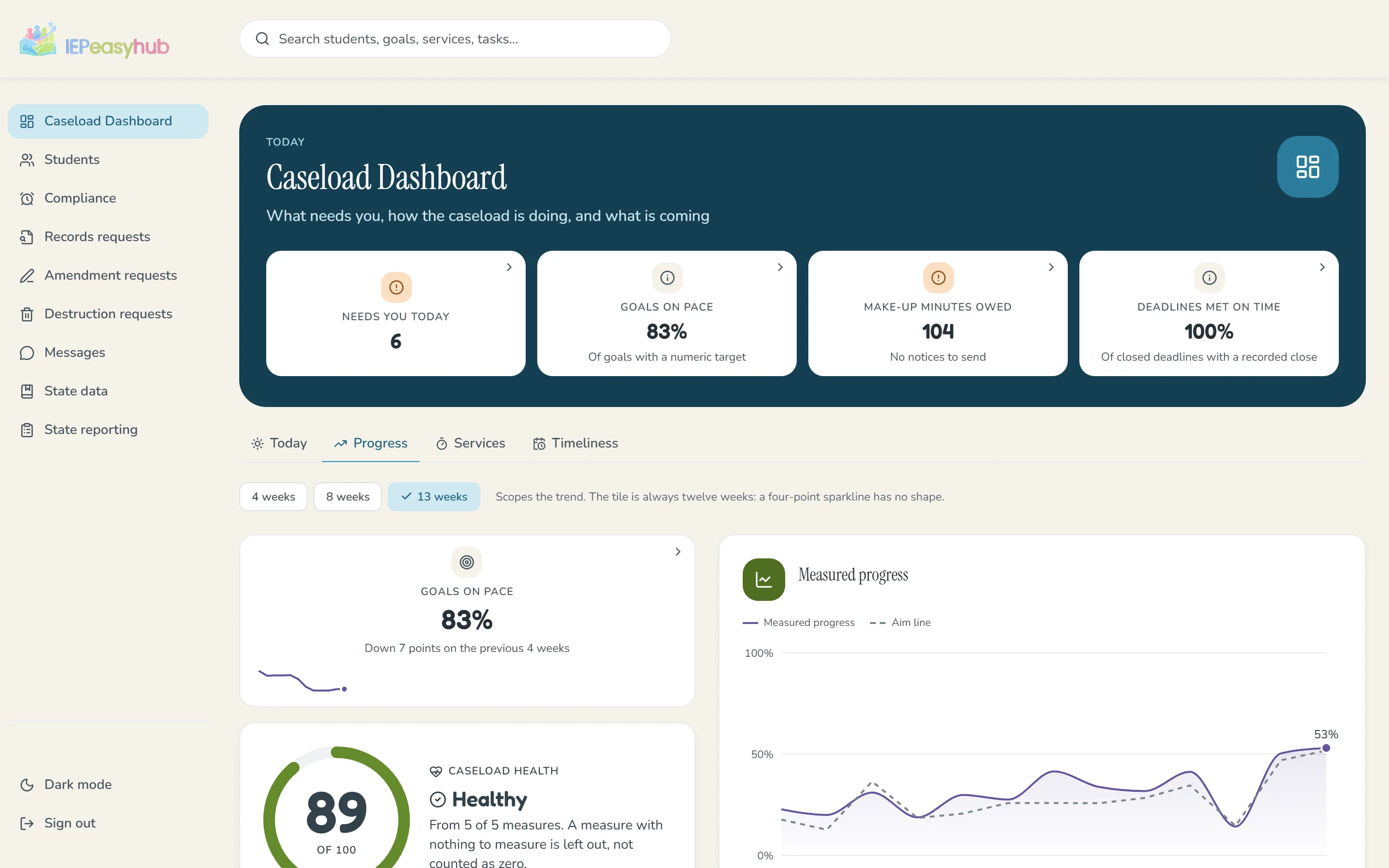
The Caseload Dashboard’s Progress tab: goals on pace, caseload health and measured progress against the aim line for a sample caseload.
ScreenshotTeachersCaseload analyticsHealth, goal trend and service delivery at a glance.
app.iepeasyhub.com
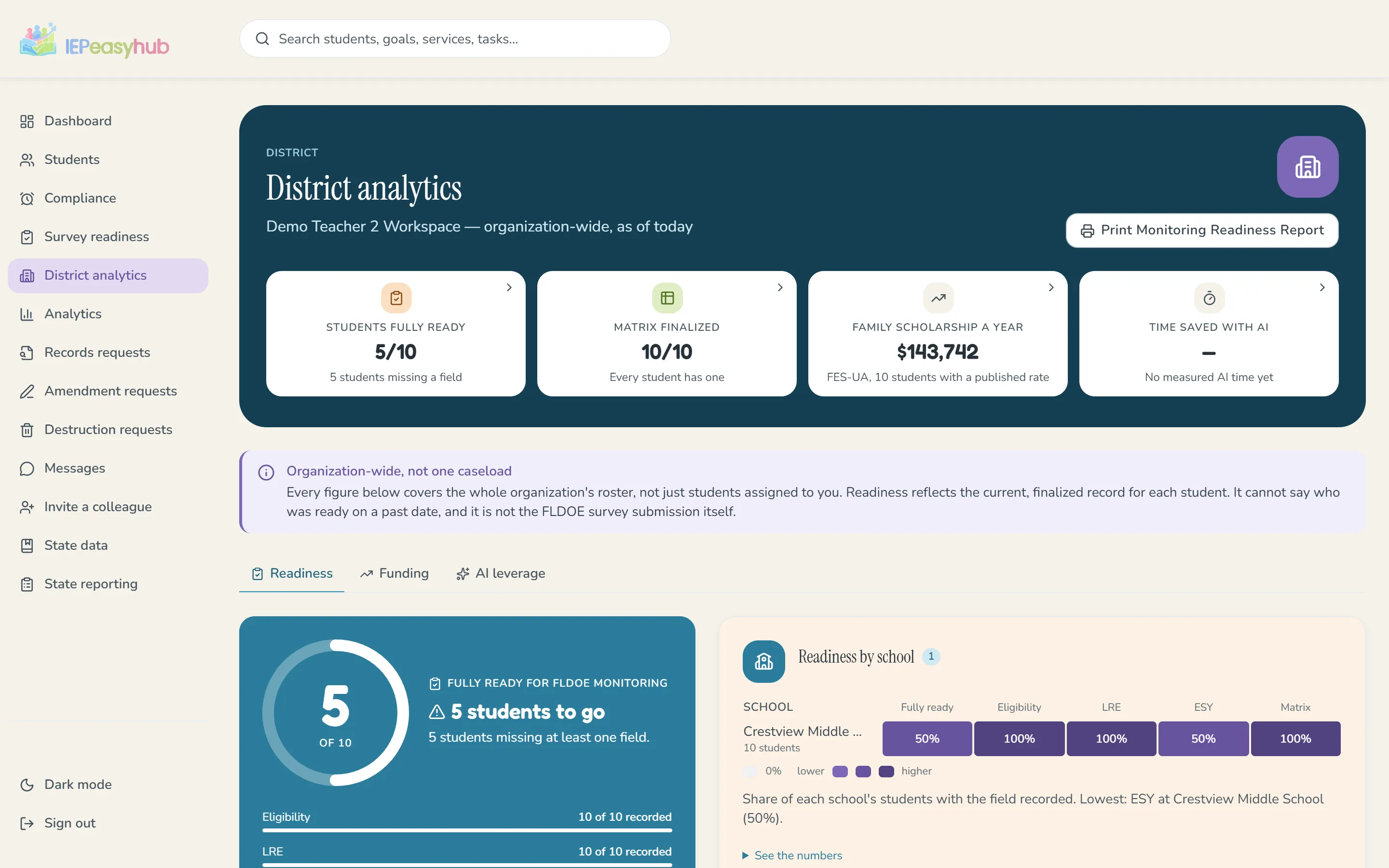
District analytics, readiness tab: the survey-readiness scorecard and a school-by-field heat grid for a sample district.
ScreenshotDistrictsDistrict readinessA survey-readiness scorecard and a school-by-field heat grid.
app.iepeasyhub.com
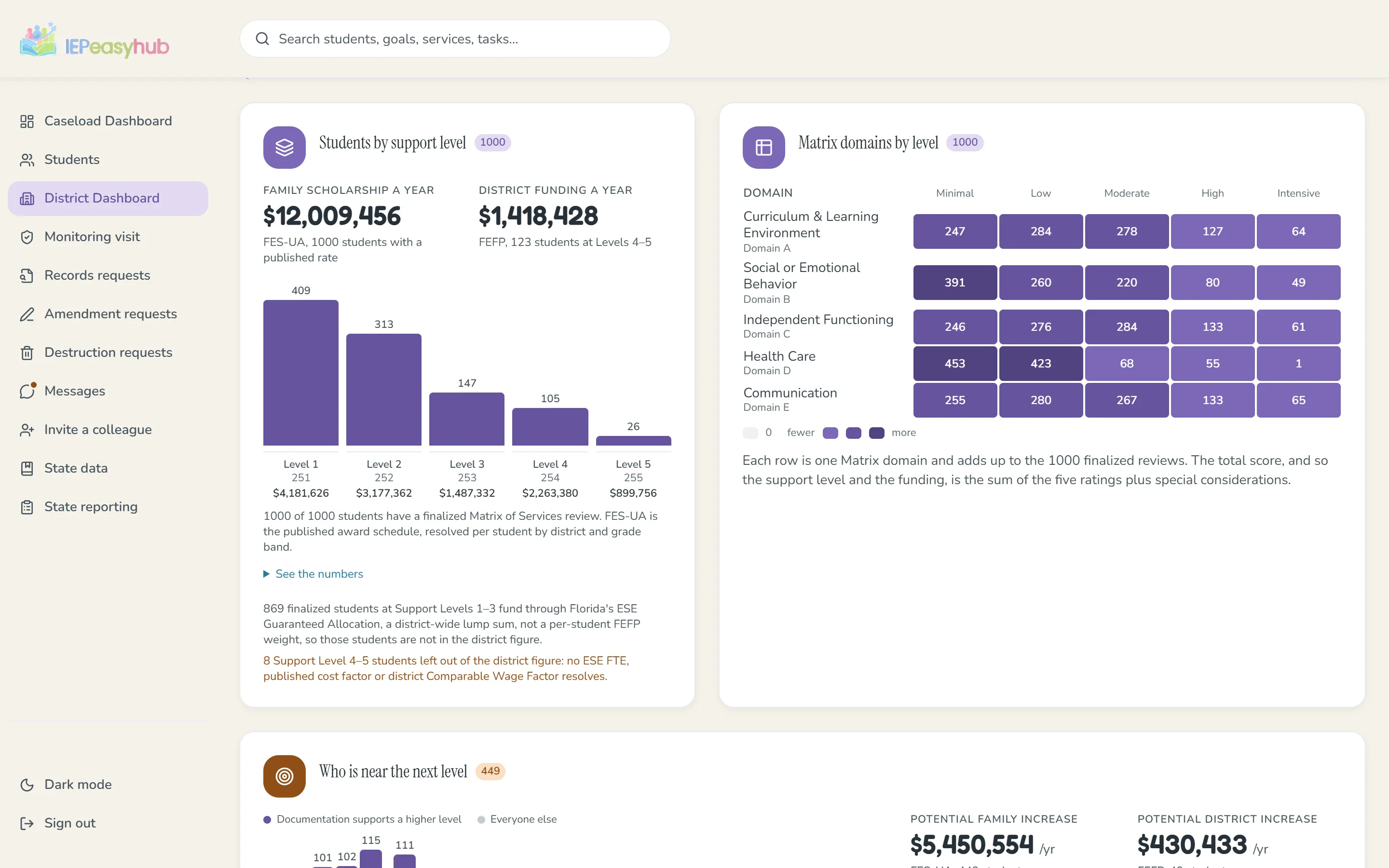
The District Dashboard’s Funding tab: students by support level with the family scholarship and district funding totals, beside the Matrix domain grid, for a sample district.
ScreenshotDistrictsMatrix and fundingMatrix domains and the funding view across the district.
app.iepeasyhub.com
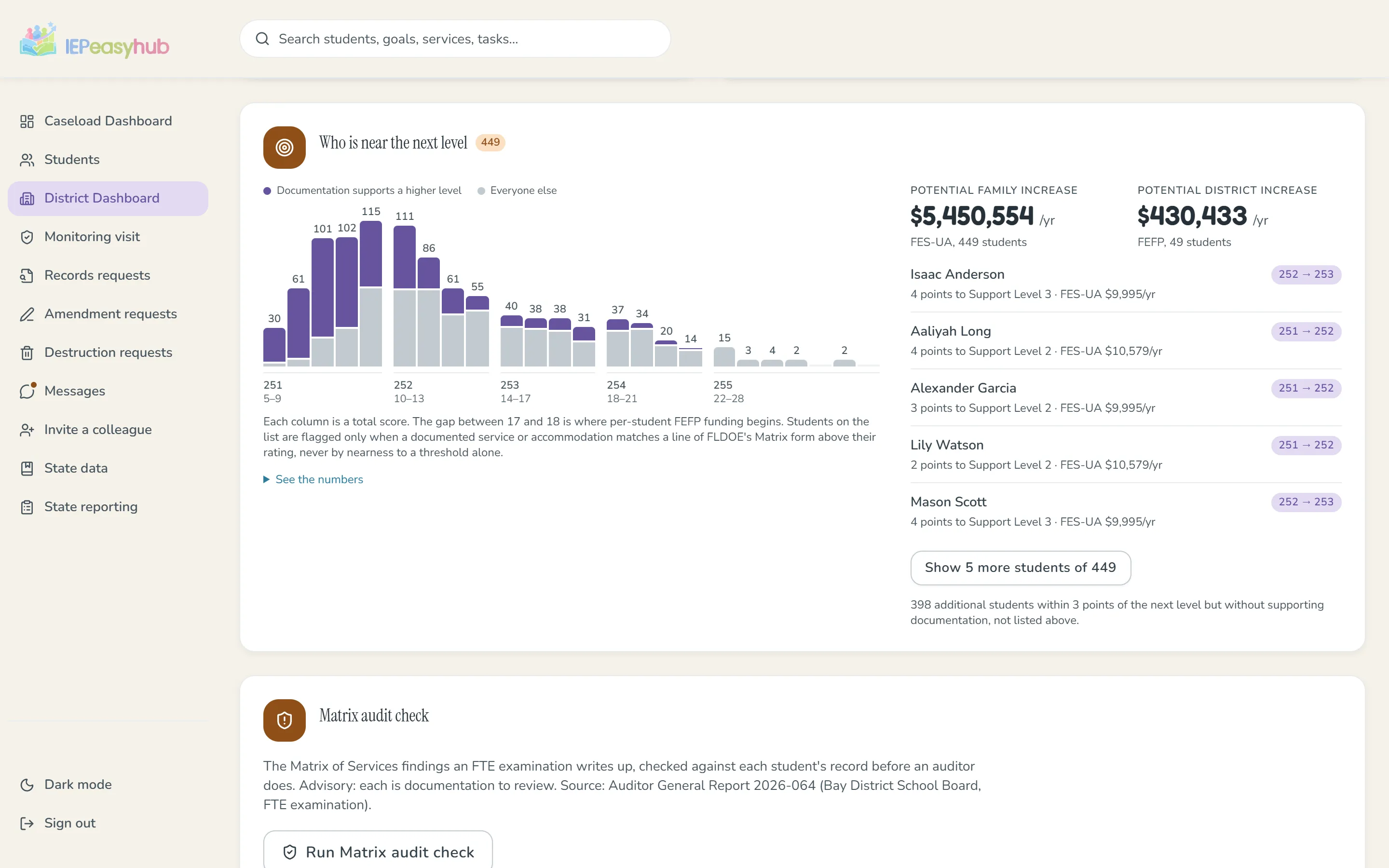
The District Dashboard’s Funding tab: a histogram of students by Matrix total score, where documentation supports the next support level, and the students nearest it, for a sample district.
ScreenshotDistrictsWho is near the next levelStudents whose documentation supports a higher Matrix level.
app.iepeasyhub.com
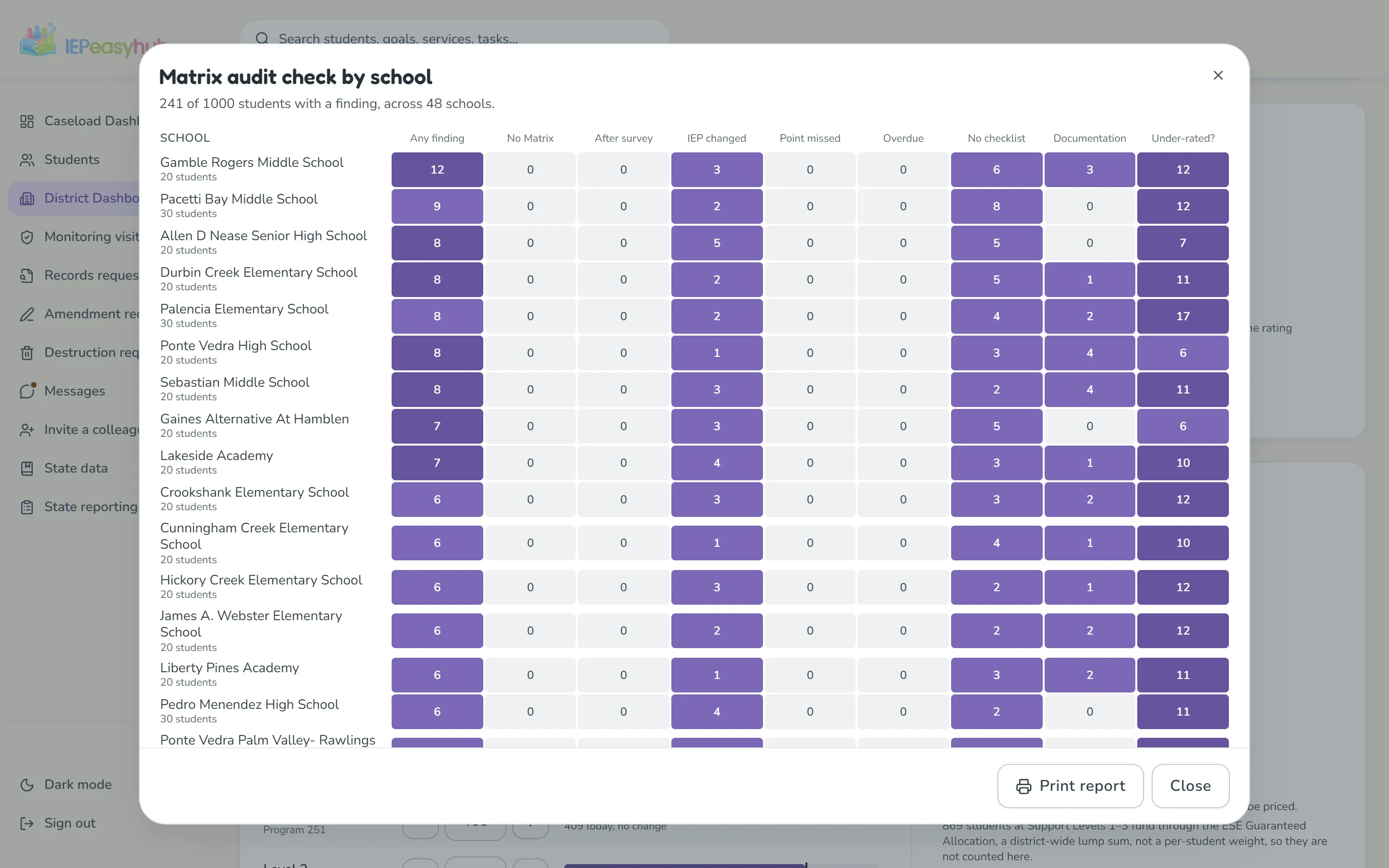
The District Dashboard’s Matrix audit check by school, run: a grid of each school’s students with a finding, split by the kinds of Matrix documentation an FTE examination checks, for a sample district.
ScreenshotDistrictsMatrix audit checkFindings an FTE examination writes up, school by school.
app.iepeasyhub.com
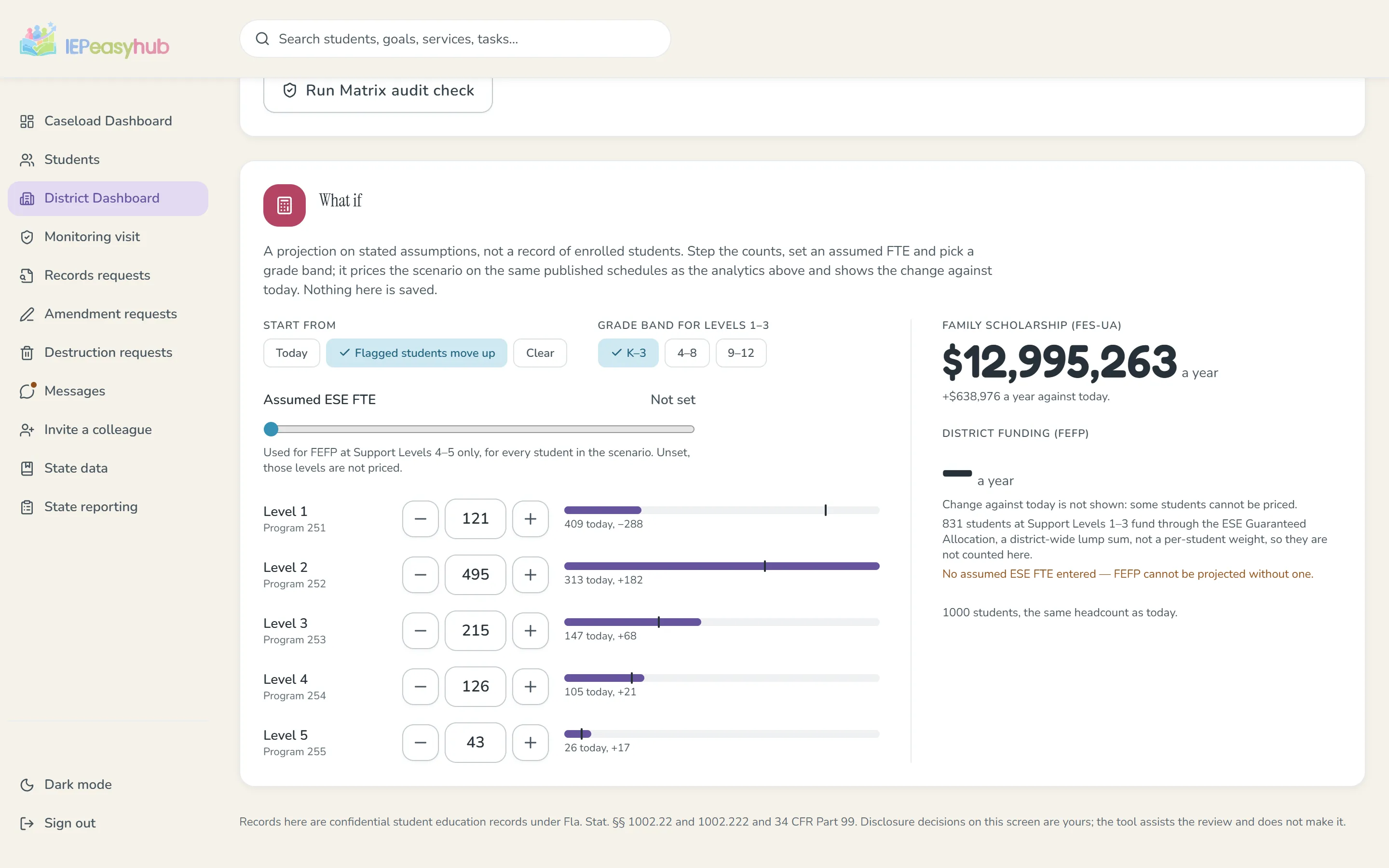
The District Dashboard’s What if panel: support-level counts stepped up from the flagged students, with the family scholarship projection beside them, for a sample district.
ScreenshotDistrictsThe funding what-ifStep the support-level counts and see the scenario priced.
app.iepeasyhub.com
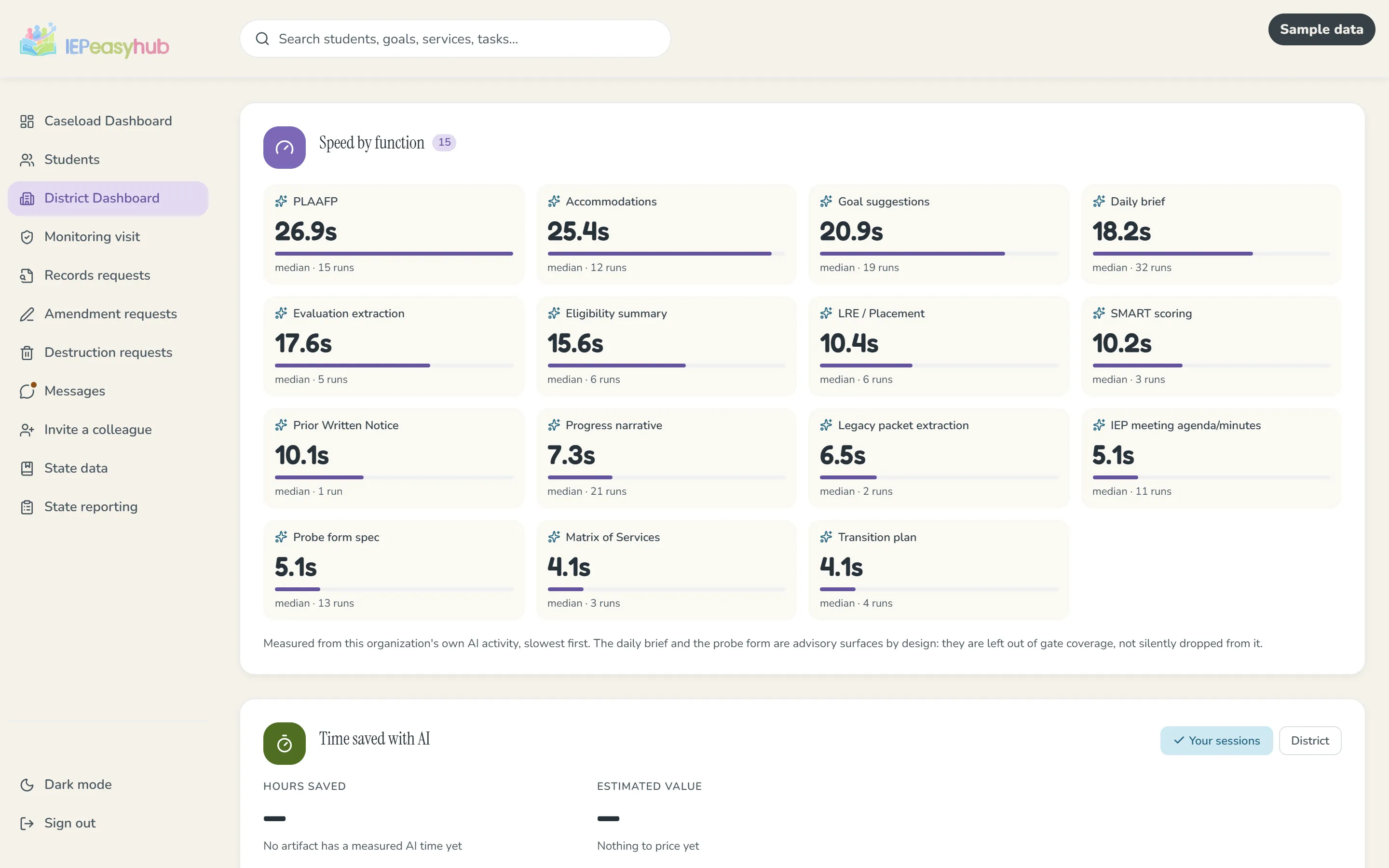
The District Dashboard’s AI leverage tab, marked sample data: the speed of every AI function, slowest first, with all of them shown.
ScreenshotDistrictsAI leverageMeasured review time and time saved.
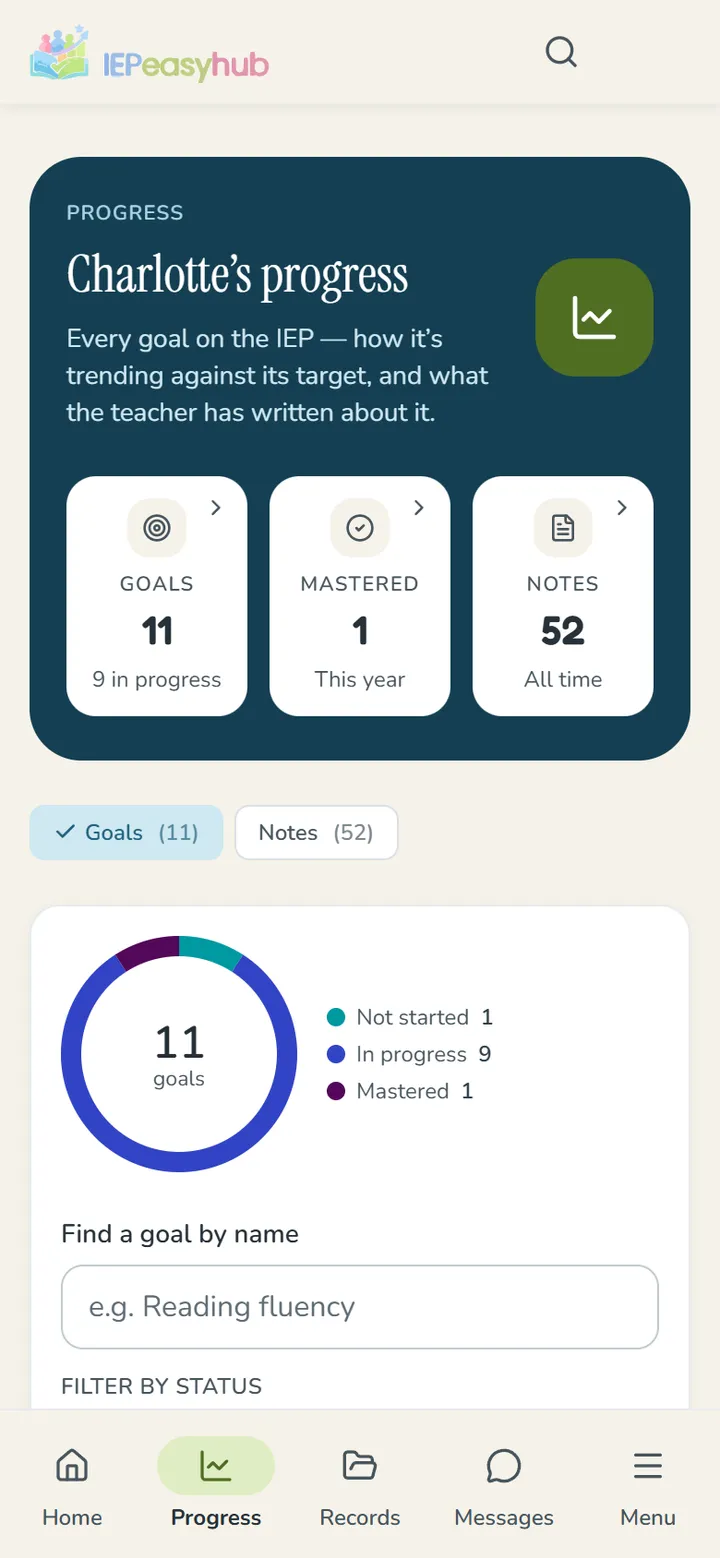
The family portal’s progress page for one goal, in plain language.
ScreenshotFamiliesThe family portalA goal in plain language.
ScreenshotTeachersCapture on the phoneLog a session where it happens.Illustration with sample content
September 10, 2026ArticleTeachers · Districts · FamiliesAI Can Draft an IEP Section. It Shouldn't Be Able to Save One.More than half of ESE teachers use AI in IEP writing. What matters is what stands between a draft and the record.Read the article September 1, 2026ArticleDistricts · TeachersWhat the Matrix of Services Actually Checks Against Your IEPNothing in most IEP software checks an IEP against its Matrix score. Here is the gap, and how to catch it.Read the article One pageThe IEP tools a district already knows, and the one thing missing.Solution ComparisonBriefing KitAgainst The FieldIEPeasyhub beside the state system, five vendors and the free chat assistants, on eighteen capabilities.Open the sheet One pageThe state system and IEPeasyhub, across the work of an ESE office.Solution ComparisonBriefing KitState System OptionsWhat the state IEP system gives you and what IEPeasyhub adds, across nine kinds of work.Open the sheet One pageWhat changed for Florida ESE on July 1, 2026, and what is on its way.Regulatory UpdateBriefing KitWhat Changed July 1HB 1279’s missed-service notice, the AI rule and the end-of-meeting statement, in the law’s own words.Open the sheet Live toolScore a Matrix of Services the way the form does, and see what the number carries.Florida ToolBriefing KitMatrix ScorerRate the five domains on FLDOE’s form; see the total, the support level and the FES-UA award it carries.Use the tool One pageSeven ways a Matrix fails an FTE audit, and the check for each.Florida ToolBriefing KitSeven FindingsSeven FTE findings from Auditor General Report 2026-064, each with the check that would have caught it.Open the sheet Live toolWhat a Florida family’s FES-UA award is this year, county by county, from the published schedule.Florida ToolBriefing KitFES-UA EstimatorThe published 2026-27 FES-UA award for any Florida county, by Matrix level and grade band.Use the tool One pageThe scholarship a parent hears about at the IEP meeting, in numbers a district can stand behind.Florida ToolBriefing KitAt the IEP TableWhat the family can receive, what the district discloses and reports, for one county on one page.Open the sheet Three pieces · one PDFThe Florida District AI Readiness Kit, ESE edition.Readiness KitBriefing KitAI Readiness KitA model ESE AI procedure, twenty vendor questions and a parent letter in three languages. One PDF.Get the kit

Present levels drafted, you approve

Goals from the needs you approved

A missed session, handled by the law

Start from an old IEP

Paperwork at every stage

Start free: your practice caseload

Meeting, statement, prior written notice

The Compliance board

The review gate

An AI-drafted present-levels section in the review gate, with the teacher’s edits and the approve step.

Caseload analytics

The Caseload Dashboard’s Progress tab: goals on pace, caseload health and measured progress against the aim line for a sample caseload.

District readiness

District analytics, readiness tab: the survey-readiness scorecard and a school-by-field heat grid for a sample district.

Matrix and funding

The District Dashboard’s Funding tab: students by support level with the family scholarship and district funding totals, beside the Matrix domain grid, for a sample district.

Who is near the next level

The District Dashboard’s Funding tab: a histogram of students by Matrix total score, where documentation supports the next support level, and the students nearest it, for a sample district.

Matrix audit check

The District Dashboard’s Matrix audit check by school, run: a grid of each school’s students with a finding, split by the kinds of Matrix documentation an FTE examination checks, for a sample district.

The funding what-if

The District Dashboard’s What if panel: support-level counts stepped up from the flagged students, with the family scholarship projection beside them, for a sample district.

AI leverage

The District Dashboard’s AI leverage tab, marked sample data: the speed of every AI function, slowest first, with all of them shown.

The family portal

The family portal’s progress page for one goal, in plain language.

Want a walkthrough now?

We are happy to show you the product live, on your own questions.

Contact us